


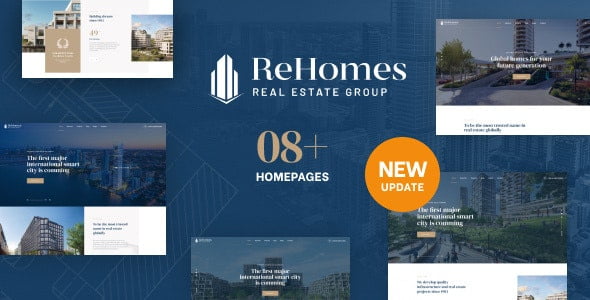
Rehomes – Real Estate Group WordPress Theme With Lifetime Update.
$11.00
| Features | Values |
|---|---|
| Version | v2.0.5 |
| Last Update | 12 April 2024 |
| Premium Features | Yes |
| Instant Installation Support | 24 Hrs. |
| Scanned By Virus Total | ✅ |
| Live Preview | 100% Working |
15
Items sold in last 3 minutes
322
People watching this product now!
Description
While the 04+ homepages may initially seem similar, each template is highly customizable. With Elementor premium drag and drop page builder included, you have ultimate flexibility. Customize colors, layouts, and more with ease. The admin custom panel ensures convenient site management, while speed optimization guarantees a seamless user experience.
Be stunning with one of the best real estate templates
- 04+ rich-featured homepages ready to use
- Free Opal Estate Pro Plugin
- Display awards attractively
- Creative Projects Listings
- Creative property plans
- Filter properties by the advanced search
- Make your site interesting with blogs
- Numerous Functional Pages
- Contact Form 7 Included
- WordPress 5.2.x tested and approved
- Premade widgets to build content easier
- Built with HTML5 and CSS3
- Optimized for Speed, Search Engine Optimization, Mobile Optimized, Highly Conversion Rate Optimization, and Unlimited Customize
- Clean, modern, multi-purpose design can be used for any type of websites
- Elaborated clean code for your convenience
- Cross-browser compatibility: Chrome, Firefox, Safari, Opera, Edge
- Totally Responsive Design
- Different sidebars variations
- Amazing parallax effects both on rows and content
- Fast and perfect performance while viewing
- Compatible with advanced plugins: WooCommerce, Elementor, MailChimp, etc.
🌟100% Genuine Guarantee And Malware Free Code.
⚡Note: Please Avoid Nulled And GPL WordPress Themes.
Reviews (0)
Only logged in customers who have purchased this product may leave a review.
Installation Process


Certification










Reviews
There are no reviews yet.