


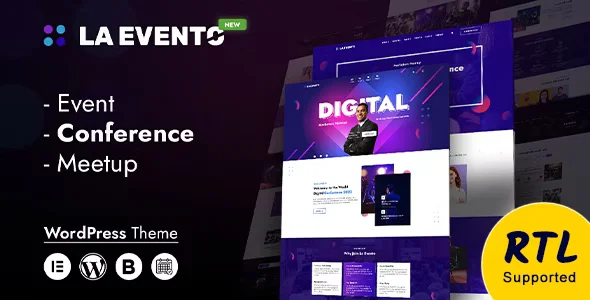
La Evento – An Organized Event WordPress Theme With Lifetime Update.
$6.90
| Features | Values |
|---|---|
| Version | 1.2.3 |
| Last Update | 13 July 2024 |
| Premium Features | Yes |
| Instant Installation Support | 24 Hrs. |
| Scanned By Virus Total | ✅ |
| Live Preview | 100% Working |
La Evento is a comprehensive WordPress theme designed for conferences, meetups, and professional events. It includes everything needed to create an outstanding event website, from event calendars to ticket sales. Whether you’re managing a festival, concert, seminar, or corporate event, La Evento offers versatile features to support your online event management needs.
This clean and authentic theme is perfect for summits, workshops, webinars, and other related niches. Its user-friendly design allows you to easily manage registration, venues, schedules, speakers, and eCommerce. La Evento helps boost your event’s online presence and provides a resource for your audience to engage with your event.
La Evento’s modern and unique design allows users to learn about your services and upcoming meetups. It offers a creative, refined layout that works seamlessly on WordPress and other platforms, with features to quickly build your business site. After purchasing, you’ll appreciate its impressive functionality and design.
🌟100% Genuine Guarantee And Malware Free Code.
⚡Note: Please Avoid Nulled And GPL WordPress Themes.
Only logged in customers who have purchased this product may leave a review.











Reviews
There are no reviews yet.