


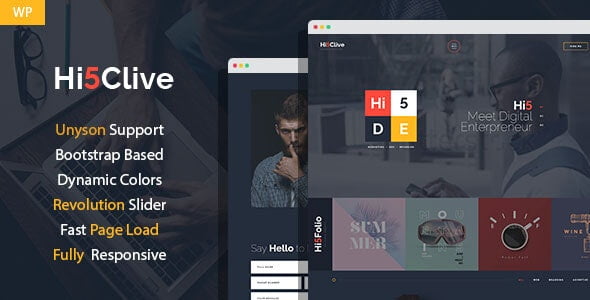
Hi5Clive – Digital Marketing Entrepreneur WordPress Theme With Lifetime Update.
$13.90
| Features | Values |
|---|---|
| Version | Latest |
| Last Update | 27 January 2023 |
| Premium Features | Yes |
| Instant Installation Support | 24 Hrs. |
| Scanned By Virus Total | ✅ |
| Live Preview | 100% Working |
12
Items sold in last 3 minutes
218
People watching this product now!
Description
Hi5Clive is an ultra-modern WordPress theme perfect for digital entrepreneurs, agencies, freelancers, and creative professionals. It’s ideal for starting or moving your business online. With vibrant design elements, it attracts visitors and showcases your work effectively. Features include About, Pricing, Clients, Testimonials, FAQs, Contacts, Services, Single Service page, and Team page. Built on Unyson framework with a drag-and-drop page builder for easy customization.
Hi5Clive is an ultra modern WordPress theme created for:
- digital entrepreneur
- digital agency
- web design studio
- creative agency
- freelancer personal website
- freelance portfolio
- marketing services company
- brand management & development company
🌟100% Genuine Guarantee And Malware Free Code.
⚡Note: Please Avoid Nulled And GPL WordPress Themes.
Reviews (0)
Only logged in customers who have purchased this product may leave a review.
Installation Process


Certification





Reviews
There are no reviews yet.