


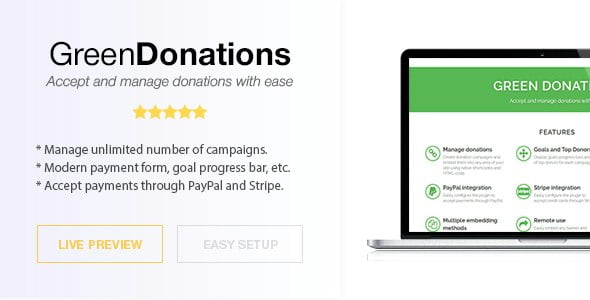
Green Donations – Standalone Script – Accept and Manage Donations With Lifetime Update.
$6.90
| Features | Values |
|---|---|
| Version | Latest |
| Last Update | 11 June 2023 |
| Premium Features | Yes |
| Instant Installation Support | 24 Hrs. |
| Scanned By Virus Total | ✅ |
| Live Preview | 100% Working |
14
Items sold in last 3 minutes
182
People watching this product now!
Description
Green Donations is a versatile donation management tool for websites. It manages multiple campaigns, facilitates direct donations, and accepts payments via PayPal and Stripe. Integration is simple with just a few JS/HTML snippets. Plus, no commission fees to third-party services—you work directly with donors. Accepting donations has never been easier or more cost-effective.
Features
- Manage donations. Create donation campaigns and embed them into any area of your site using native shortcodes and HTML-code.
- Goals and Top Donors. Display goals progress bars and list of top donors for each campaign.
- Accept donations. Let visitors to donate as much as they want for certain campaign.
- PayPal integration. Easily configure the plugin to accept payments through PayPal.
- Stripe integration. Easily configure the plugin to accept payments through Stripe.
- Email notifications. Send custom email notifications to buyer and administrator after successful payments.
- Multiple embedding methods. Embed payment forms, goal progress bars and top donors list using shortcodes, HTML-snippets, widgets, etc.
- Remote use. Easily embed any payment form, goal progress bar and top donors into 3rd party sites (just copy-paste couple JS/HTML-snippets).
- SEO-friendly. All donors are pulled through AJAX and doesn’t affect your SEO score.
- Performance optimized. Plugin is well optimized for better performance. It doesn’t affect the Google PageSpeed Insights score.
🌟100% Genuine Guarantee And Malware Free Code.
⚡Note: Please Avoid Nulled And GPL PHP Scripts.
Reviews (0)
Only logged in customers who have purchased this product may leave a review.
Installation Process


Certification









Reviews
There are no reviews yet.