


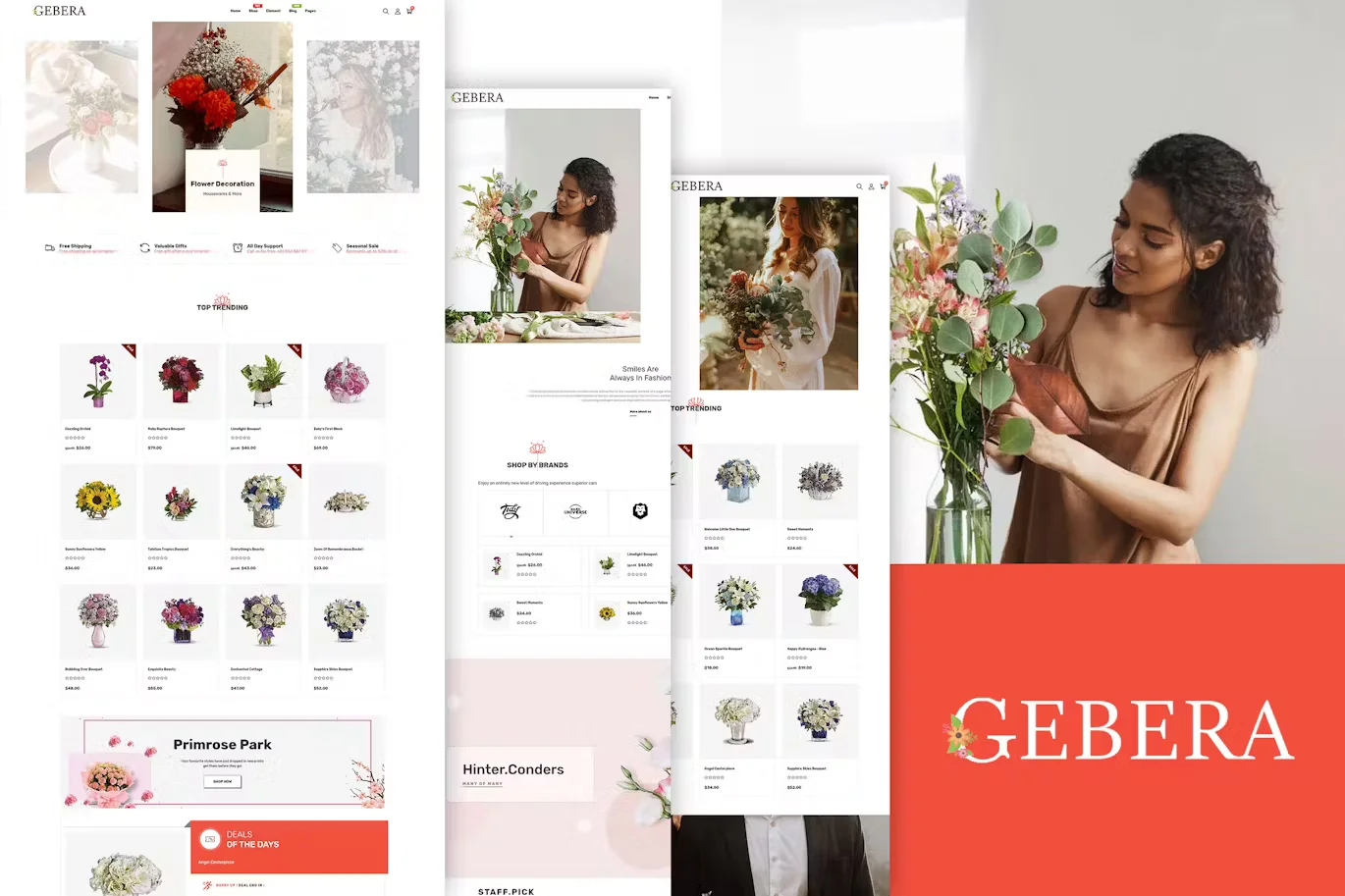
Gerbera – Florist Boutique & Decoration Shopify With Lifetime Update.
$2.90
| Features | Values |
|---|---|
| Latest Update | Yes |
| Premium Item | Yes |
| Instant Installation Support | 24 Hrs. |
| Scanned By Virus Total | ✅ |
| Live Preview | 100% Working |
Gerbera is a stylish Shopify theme designed for flower boutiques and decoration shops. Key features include:
– Easy customization with Shopify’s drag-and-drop sections.
– Automatic price adjustment and quick product viewing options.
– Advanced navigation and Google Fonts integration.
– SEO optimization and multi-currency support.
– Responsive and retina-ready design for all devices.
– Ajax-powered cart, wishlist, and product filtering.
– Built-in sliders for showcasing products and promotions.
– Various layout options and color schemes.
– Newsletter integration and social media connectivity.
– Comprehensive documentation and 24/7 support.
Gerbera combines clean aesthetics with robust functionality, perfect for creating elegant online stores specializing in flowers, decorations, and gifts.
🌟100% Genuine Guarantee And Malware Free Code.
⚡Note: Please Avoid Nulled And GPL Shopify Themes.
Only logged in customers who have purchased this product may leave a review.










Reviews
There are no reviews yet.