


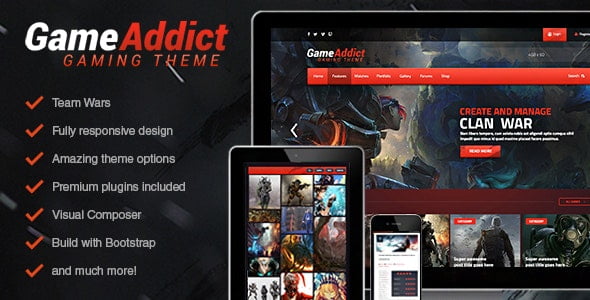
Game Addict – Clan War Gaming Theme With Lifetime Update.
$13.90
| Features | Values |
|---|---|
| Version | v3.5 |
| Last Update | 6 February 2022 |
| Premium Features | Yes |
| Instant Installation Support | 24 Hrs. |
| Scanned By Virus Total | ✅ |
| Live Preview | 100% Working |
11
Items sold in last 3 minutes
127
People watching this product now!
Description
Game Addict is a theme for clans and gaming. It allows you to can create and manage clan wars including different maps, teams and games.
Main features:
- NEW: Visual Composer Page Builder!
- NEW: OWL Carousel block
- NEW: Theme redesign and new blocks added
- Clan war system: Create and manage team matches
- WooCommerce support
- BuddyPress support
- Parallax blocks
- Video blocks
- Animated images and icons
- WPML Ready
- Translate ready – .po files included
- Rating System , widget included
- bbPress ready, create your own community!
- Fully responsive design
- LayerSlider Parallax slider included (worth 20$)
- Isotope gallery included (worth 14$)
- Unlimited colours
- Upload your own backgrounds
- HTML5
- CSS3 Styling
- CSS3 Animations
- Build using the latest Bootstrap
- Powered by Theme barracks with extensive options:
- Typography options
- Unlimited colours
- Upload your own backgrounds
- jquery page slider turn on/off option
- Blog options
- Seo options
- Footer options
- Social media options
- Awesome Page builder with loads of blocks, simply drag and drop to create the page that you want!
- Cross-browser compatible
- Seo ready
- XML dummy content file included
- Extensive documentation file
- Support forum
🌟100% Genuine Guarantee And Malware Free Code.
⚡Note: Please Avoid Nulled And GPL WordPress Themes.
Reviews (0)
Only logged in customers who have purchased this product may leave a review.
Installation Process


Certification


Reviews
There are no reviews yet.