


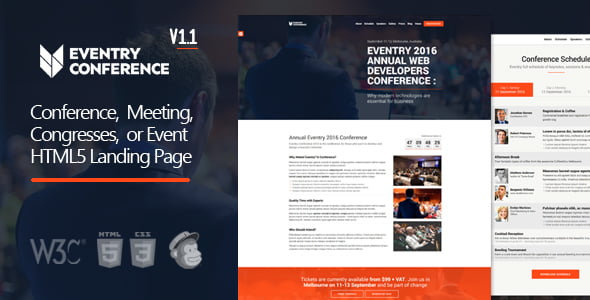
Eventry – Conference Meetup Landing Page WordPress Theme With Lifetime Update.
$6.90
| Features | Values |
|---|---|
| Version | 1.2.3 |
| Last Update | 26 July 2024 |
| Premium Features | Yes |
| Instant Installation Support | 24 Hrs. |
| Scanned By Virus Total | ✅ |
| Live Preview | 100% Working |
Eventry is a comprehensive WordPress theme designed for conferences, meetings, and exhibitions. It integrates with third-party technologies like WooCommerce, MailChimp, and Visual Composer, offering extensive customization for unique event landing pages. Features include four predefined homepages, ten color schemes, cross-browser compatibility, pre-configured widgets, and a special countdown widget. It also includes contact and registration forms, map integration for event navigation, and is fully responsive across all devices. Eventry is .POT ready and comes with detailed documentation and demo content for easy website creation.
🌟100% Genuine Guarantee And Malware Free Code.
⚡Note: Please Avoid Nulled And GPL WordPress Themes.
Only logged in customers who have purchased this product may leave a review.







Reviews
There are no reviews yet.