


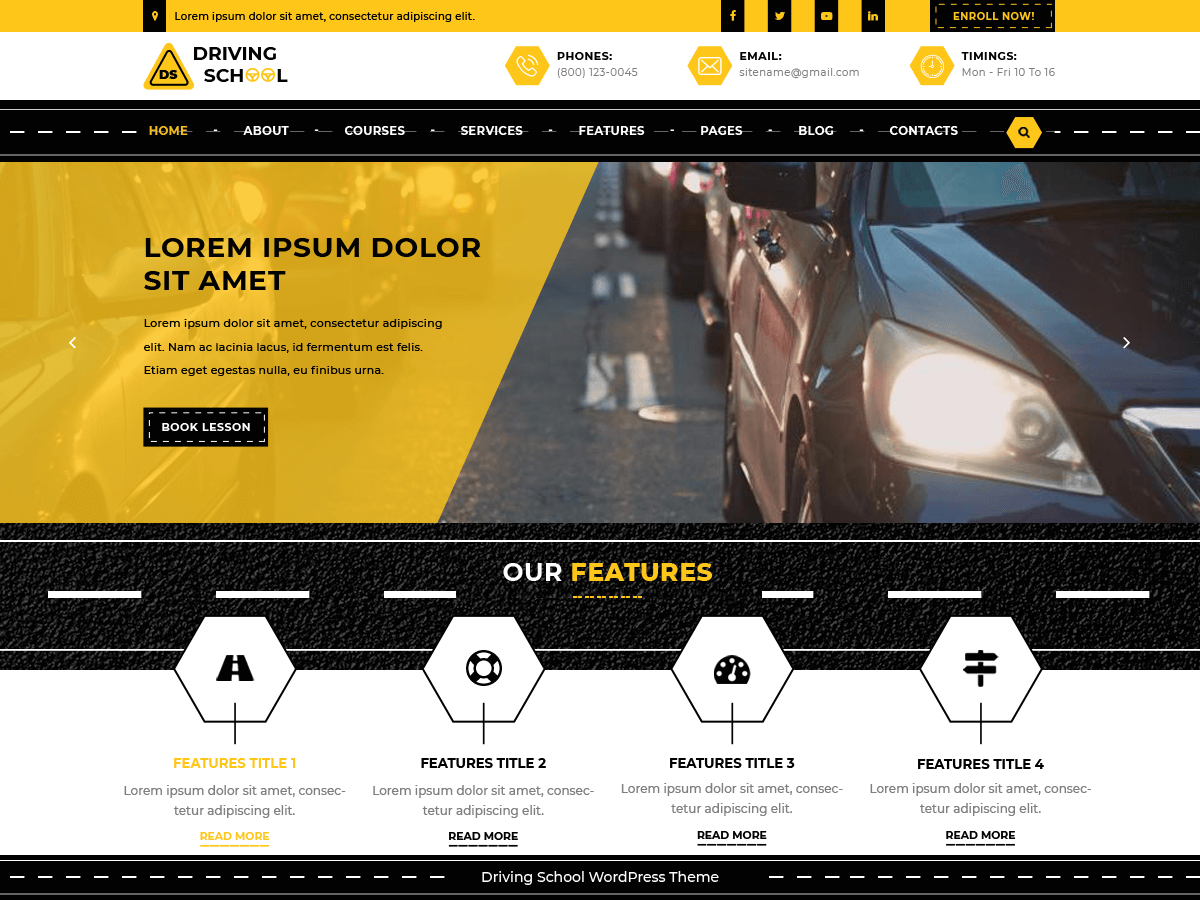
Driving School Lite With Lifetime Update.
$6.90
| Features | Values |
|---|---|
| Version | 1.0.2 |
| Last Update | 25 July 2024 |
| Premium Features | Yes |
| Instant Installation Support | 24 Hrs. |
| Scanned By Virus Total | ✅ |
| Live Preview | 100% Working |
Driving School Lite is a versatile and feature-rich WordPress theme designed for driving schools, instructors, and related businesses like car training institutes and driving agencies. It can also be used for driving blogs or road safety education.
This theme includes essential sections like a gallery, testimonials, a subscriber form, and the latest news, all designed with modern website standards for optimal performance. Built on the Bootstrap framework, it is fully responsive, SEO-friendly, multilingual, and compatible with multiple browsers.
Driving School Lite features social media icons for easy content sharing and strategically placed call-to-action buttons for lead generation. It supports various content types and is lightweight for fast loading. The theme offers customization options through the theme customizer and theme options, allowing you to personalize and brand your site. Its clean and secure coding ensures a bug-free experience, while SEO features help drive traffic to your site.
Demo: Driving School Lite
🌟100% Genuine Guarantee And Malware Free Code.
⚡Note: Please Avoid Nulled And GPL WordPress Themes.
Only logged in customers who have purchased this product may leave a review.








Reviews
There are no reviews yet.