


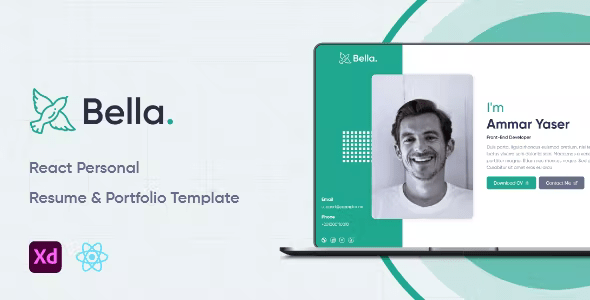
Bella | React Personal Resume & Portfolio System With Lifetime Update.
$10.90
| Features | Values |
|---|---|
| Version | Latest |
| Last Update | 10 March 2022 |
| Premium Features | Yes |
| Instant Installation Support | 24 Hrs. |
| Scanned By Virus Total | ✅ |
| Live Preview | 100% Working |
Bella is a versatile Personal Resume & Portfolio System crafted with React.js & Node.js, suitable for various purposes. Its creative, minimal, and clean design offers all the features of a business website, making it ideal for freelancers to showcase projects and services with a 100% super responsive experience.
Two Versions:
1. Full System: Includes Backend & Dashboard
2. Frontend Template (Static)
Easy Customization:
– For Static Version: Manage all template content from the included JSON file (data.json) without code editing
– Fully customizable dashboard for UI control
Features:
- Built on pure ReactJS
- Creative Design
- Responsive in Any Device
- Creative and Beautiful Layout
- Fast, Lightweight & Powerful
- Floating Menu on Mobile Devices
- Smooth Transition Effects
- Integrated with Feather Icons
- Bootstrap 4.3.x
- Easily Customizable
- Free Updates
🌟100% Genuine Guarantee And Malware Free Code.
⚡Note: Please Avoid Nulled And GPL PHP Scripts.
Only logged in customers who have purchased this product may leave a review.










Reviews
There are no reviews yet.