


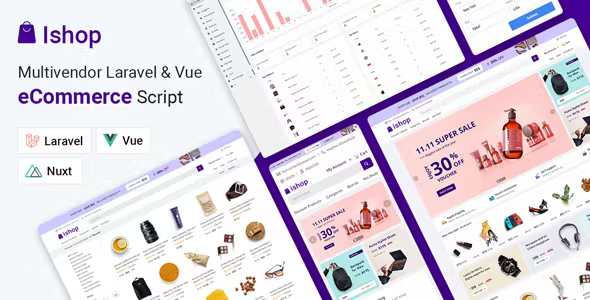
Ishop – Multivendor Laravel Vue eCommerce CMS [Extended Version]
$30.00
| Features | Values |
|---|---|
| Version | Extended Version |
| Last Update | 22 Feb 2024 |
| Documentation | Yes |
| All Premium Features | Yes |
| GPL/Nulled | No |
| Instant Installation Support | 24 Hrs. |
| Receive Updates on Email | Yes |
| Website Activation | 25 |
🌟100% Genuine Guarantee And Malware Free Code.
⚡Note: Please Avoid Nulled And GPL CMS PHP Script.
11
Items sold in last 3 minutes
126
People watching this product now!
Description
Ishop Multivendor Laravel & Vue eCommerce CMS PHP Script With Lifetime Update.
Ishop Multivendor CMS PHP Script Features.
- Fastest script on marketplace
- Super caching system
- Server side rendering
- Neatly grouped and organized
- Video uploading of products
- Flash sale products
- Dynamic product suggestion
- Suggestional products on search
- Customer review option
- Location based shipping price
- Dynamic product collection
- Bundle deal products
- Permission based admin/vendor user
- Withdrawal request from vendor account
🌟100% Genuine Guarantee And Malware Free Code.
⚡Note: Please Avoid Nulled And GPL CMS PHP Script.
Reviews (0)
Only logged in customers who have purchased this product may leave a review.
Installation Process


Certification










Reviews
There are no reviews yet.