


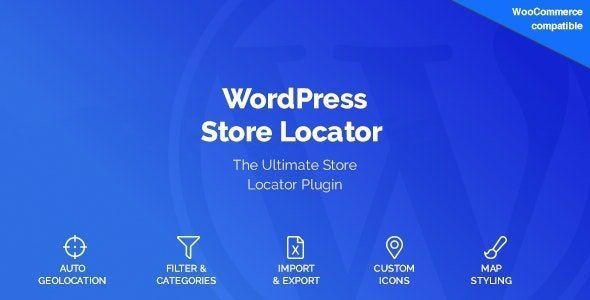
WordPress Store Locator 2.1.12 Plugin With Lifetime Update.
$5.46
| Features | Values |
|---|---|
| Version | v2.1.12 |
| Last Update | 05 February 2024 |
| All Premium Features | Yes |
| Instant Installation Support | 24 Hrs. |
| Scanned By Virus Total | ✅ |
| Live Preview |
14
Items sold in last 3 minutes
124
People watching this product now!
Description
Did you know that nearly 45% of revenue stays in local stores? Use this as an advantage and add a store locator your product pages. With our WordPress Store Locator Plugin you can give your Customers the opportunity to buy your products in a local store! Show the store locator on your product page or embed it on a dealer locator page and increase your sales!
- 🌟WordPress Store Locator Plugin With Lifetime Update
- 🌟All Premium Features
- 🌟100% Genuine Guarantee And Malware Free Code
- 🌟No GPL/Not Nulled
- 🌟Instant Installation Support
- 🌟We Will Push Updates From Our Dashboard
- 🌟25 Website Activations
WordPress Store Locator Plugin Features.
- More than 10 possible layouts
- More than 90 options
- Open Store Locator in Modal
- Excel (.xls) import / export functionality
- Add Store Locator to any Page via Shortcode
- Auto Gelocation
- Set Default Position, Map Type and Zoom
- Set a Distance Unit
- Set a default Radius
- Set default Icons
- Customize the Infowindow
- Customize the Result List
- Customize the Search Box
- Customize the Loading Screen
- Check what Data and what Call to Actions (CTA) you want to display
- Set Defaults for new Stores
- Multilingual
- Well Documentented
⚡Note: Please Avoid Nulled And GPL WordPress Plugins
Reviews (6)
6 reviews for WordPress Store Locator 2.1.12 Plugin With Lifetime Update.
Only logged in customers who have purchased this product may leave a review.
Installation Process


Certification







Owen (verified owner) –
Good service.
Michael (verified owner) –
Very fast delivery.
William (verified owner) –
Very well worth the money.
Matthew (verified owner) –
Very well worth the money.
John (verified owner) –
Good service.
Paul (verified owner) –
Very well worth the money.