


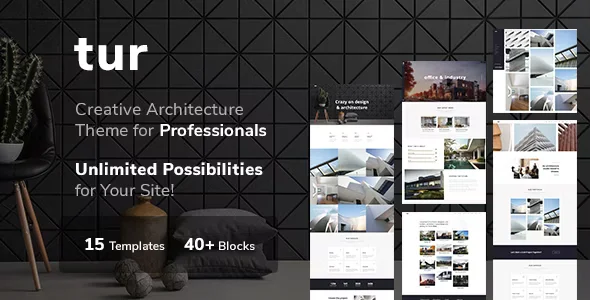
Tur Architecture With Lifetime Update.
$6.90
| Features | Values |
|---|---|
| Version | 1.1.3 |
| Last Update | 8 January 2024 |
| Premium Features | Yes |
| Instant Installation Support | 24 Hrs. |
| Scanned By Virus Total | ✅ |
| Live Preview | 100% Working |
18
Items sold in last 3 minutes
346
People watching this product now!
Description
TUR – Architect and Interior Design WordPress Theme
TUR features a clean, minimal, and stylish design, ideal for modern architecture and interior design studios. It includes powerful shortcodes for showcasing works, adding team members, displaying projects, posting articles, and selling design and art products online.
Key Features:
- Niche-Specific Design: Perfect for Interior Design services, including Dining Room, Exterior Design, Kitchen Design, Living Room Design, Master Bedroom Design, Cottage, and more.
- Easy Website Building: Build a beautiful, modern website quickly with TUR’s awesome design and numerous features.
- Extensive Documentation: Comprehensive theme documentation is available, and tech support is ready to assist with any issues.
Get TUR now and make your work stand out!
🌟100% Genuine Guarantee And Malware Free Code.
⚡Note: Please Avoid Nulled And GPL WordPress Themes.
Reviews (0)
Only logged in customers who have purchased this product may leave a review.
Installation Process


Certification








Reviews
There are no reviews yet.