


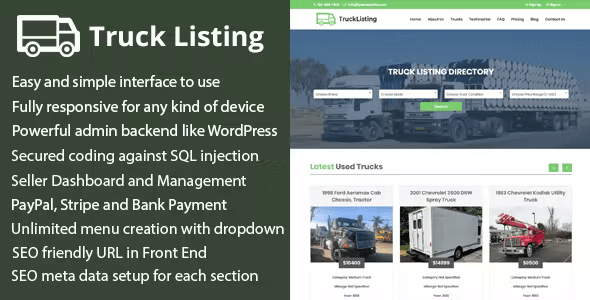
Trucklisting – Truck Listing Multi-Vendor Directory CMS With Lifetime Update.
$16.90
| Features | Values |
|---|---|
| Version | v1.1 |
| Last Update | 25 August 2022 |
| Premium Features | Yes |
| Instant Installation Support | 24 Hrs. |
| Scanned By Virus Total | ✅ |
| Live Preview | 100% Working |
10
Items sold in last 3 minutes
234
People watching this product now!
Description
Trucklisting is a responsive truck listing directory CMS. Sellers can register and manage items by making payments through PayPal, Stripe, or Bank. Sellers advertise trucks (new and used) by paying the website owner. Visitors browse trucks and contact sellers via email, phone, or message forms. The CMS boasts an attractive front and back end interface with numerous features for easy content management. Admin panel allows for all sorts of changes without programming knowledge.
Features
Trucklisting CMS script has the following features:
- Easy and simple interface to use
- Fully responsive for any kind of device
- Powerful admin backend
- Clean coding with proper commenting
- Secured coding against SQL injection, XSS attack etc.
- Direct access or invalid URL press stopped for each pages
- Statistics of important data in dashboard
- Multi vendor Registration and Management
- Automatic Seller Registration by Email Confirming
- Unlimited Truck brand, model etc. creation
- Unlimited category and post creation
- Unlimited pricing plan creation with cost setup for PayPal
- PayPal, Stripe and Bank Payment Methods to Subscribe Package
- Truck Management in Front End by seller
- Each Truck Approval by Admin
- Each Truck Update Approval by Admin
- Unlimited page creation
- Unlimited menu creation with dropdown
- Facebook comment section for each post
- SEO meta data setup for each post, page and category
- Unlimited file uploading system
- All major social media URL setup for top bar and sidebar
- Subscriber data export as CSV format
🌟100% Genuine Guarantee And Malware Free Code.
⚡Note: Please Avoid Nulled And GPL PHP Scripts.
Reviews (0)
Only logged in customers who have purchased this product may leave a review.
Installation Process


Certification










Reviews
There are no reviews yet.