


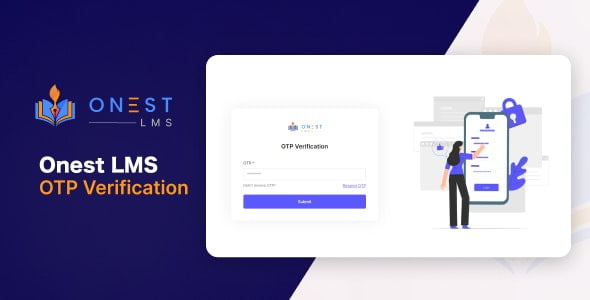
SecureLogin Plus: Premium 2FA Addon for Onest LMS With Lifetime Update.
$6.90
| Features | Values |
|---|---|
| Version | Latest |
| Last Update | 23 August 2023 |
| Premium Features | Yes |
| Instant Installation Support | 24 Hrs. |
| Scanned By Virus Total | ✅ |
| Live Preview | 100% Working |
The 2FA (Two-Factor Authentication) addon for Onest LMS is a specialized security solution tailored exclusively for Onest LMS users. This powerful addon seamlessly integrates with your Onest LMS platform, providing an extra layer of protection to enhance user account and data security. With 2FA enabled, users logging into their Onest LMS accounts will need to provide two forms of identification: their regular login credentials (username and password) along with a unique, one-time verification code. This code is typically sent to the user’s registered email or mobile device, ensuring that only authorized individuals can access their accounts. Implementing 2FA in Onest LMS significantly reduces the risk of unauthorized access, data breaches, and security threats. It offers added security against password guessing, brute-force attacks, and phishing attempts. By empowering students, instructors, and administrators with enhanced account security, the 2FA addon fosters a safer learning environment, protecting sensitive information and ensuring uninterrupted educational processes. Implement the 2FA addon for Onest LMS to proactively safeguard user accounts and maintain a trustworthy and secure platform for all users.
🌟100% Genuine Guarantee And Malware Free Code.
⚡Note: Please Avoid Nulled And GPL PHP Scripts.
Only logged in customers who have purchased this product may leave a review.










Reviews
There are no reviews yet.