


Resume & CV WordPress Theme With Lifetime Update.
$12.90
| Features | Values |
|---|---|
| Version | v2.2.7 |
| Last Update | 13 September 2023 |
| Premium Features | Yes |
| Instant Installation Support | 24 Hrs. |
| Scanned By Virus Total | ✅ |
| Live Preview | 100% Working |
15
Items sold in last 3 minutes
346
People watching this product now!
Description
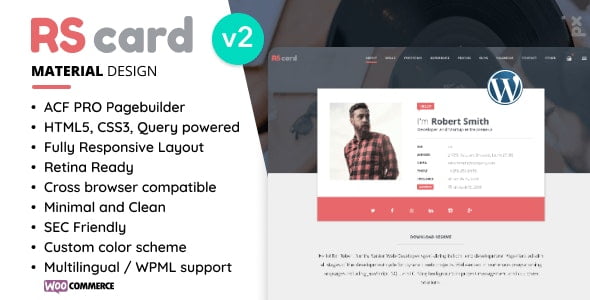
RScard – Material Design Resume/CV & Portfolio Retina-Ready WordPress Theme (Personal vCard) – A premium tool to promote yourself and your business!
Features
- ACF PRO page builder
- WPML support
- Widget ready
- Semantically Correct / Valid HTML Code
- HTML5, CSS3, jQuery powered
- Fully Responsive Layout
- Cross browser compatible ( Internet Explorer 8+, Firefox, Safari, Opera, Chrome etc. )
- Minimal and Clean Material Design
- Custom colour scheme
- Optimised performance for mobile devices
- Retina Ready
- 200+ social icons
- Extensive Documentation
- YouTube, Vimeo Support, Dailymotion and custom video
- Filterable + Popup Preview Portfolio
- Working AJAX Contact Form with validation and google recaptcha
- Isotope jQuery Plugin – $25 Value!
- Code Optimised
- Easy to Use and Customise
- Free Support
- Google Map
- Icon Fonts
- Error 404 Page
- Google Web Fonts
- RTL Support
🌟100% Genuine Guarantee And Malware Free Code.
⚡Note: Please Avoid Nulled And GPL WordPress Themes.
Reviews (0)
Only logged in customers who have purchased this product may leave a review.
Installation Process


Certification




Reviews
There are no reviews yet.