


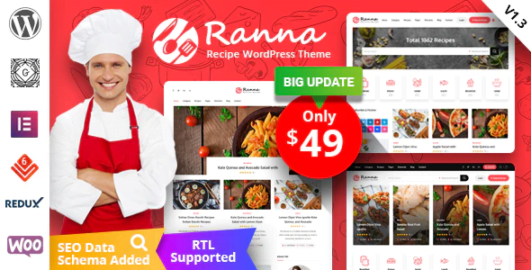
Ranna – Food & Recipe WordPress Theme + RTL With Lifetime Update.
$10.90
| Features | Values |
|---|---|
| Version | v1.4.11 |
| Last Update | 22 February 2024 |
| Premium Features | Yes |
| Instant Installation Support | 24 Hrs. |
| Scanned By Virus Total | ✅ |
| Live Preview | 100% Working |
19
Items sold in last 3 minutes
318
People watching this product now!
Description
Introducing Ranna – a stylish WordPress theme designed for food and recipe blogs. With 2 homepage variations, 2 category pages, 2 recipe pages, and more, it offers a diverse range of layouts. Choose from 3 header styles and 5 footer variations to customize your site. Plus, enjoy 25+ Custom Elementor addons with 50+ layouts to enhance your design options.
FEATURES
- Built Based on Bootstrap V 4.0
- Built Based on Elementor Page Builder
- 4 Different Home pages
- 2 Different Category pages
- 2 Recipe page
- 2 Recipe archive page
- 2 Recipe detail page
- 3 Different post detail pages
- 3 Header Style 10+ Header Variations
- 5 Footer variations
- 25+ Custom Elementor addons with 50+ Layouts
- Lazy Load
- Category wise color
- Fully Responsive
- W3c Validated HTML5 & CSS3 Coding
- Clean & Modern Design
- All Modern Browser Compatible [IE 11+, Firefox, Chrome, Opera and Safari]
- Font Awesome (350+ Icons).
- Google Web Font.
- Well Documented.
- Easy Customizable and Flexible Elements.
- SEO Optimized
- Extensive and Quick Support.
- Free Lifetime Updates.
🌟100% Genuine Guarantee And Malware Free Code.
⚡Note: Please Avoid Nulled And GPL WordPress Themes.
Reviews (0)
Only logged in customers who have purchased this product may leave a review.
Installation Process


Certification









Reviews
There are no reviews yet.