


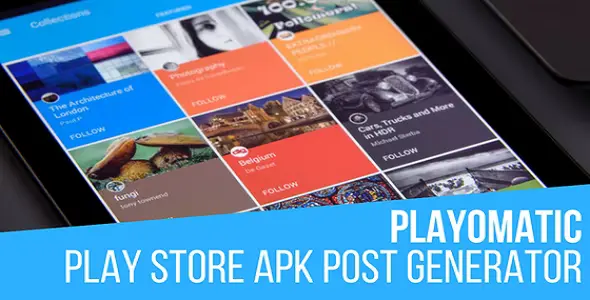
Playomatic 1.8.6.2 Play Store Automatic Post Generator Plugin for WordPress With Lifetime Update.
Original price was: $29.00.$5.90Current price is: $5.90.
| Features | Values |
|---|---|
| Version | v1.8.6 |
| Last Update | 2022-11-01 |
| Documentation | Yes |
| All Premium Features | Yes |
| GPL/Nulled | No |
| Instant Installation Support | 24 Hrs. |
| Receive Updates on Email | Yes |
| Website Activation | 25 |
🌟100% Genuine Guarantee And Malware Free Code.
⚡Note: Please Avoid Nulled And GPL WordPress Theme & Plugins.
| Developer |
CodeRevolution |
|---|
Playomatic 1.8.6.2 is a powerful WordPress plugin designed to automate the process of generating Play Store app posts on your website.
With Playomatic, showcasing your mobile apps has never been easier. This innovative plugin automatically pulls app details, images, and descriptions from the Play Store, creating engaging and visually appealing posts on your WordPress site.
Save time and effort by eliminating the need for manual content creation. Playomatic ensures that your app posts stay up-to-date with the latest information, helping you promote your apps effectively.
Seamlessly integrate Playomatic into your WordPress website and effortlessly showcase your Play Store apps with just a few clicks.
Playomatic 1.8.6 Play Store Automatic Post Generator Plugin for WordPress Features,
1. Automatic Content Generation
2. Real-time Updates
3. Customizable Templates
4. Scheduled Posting
5. App Categorization and Tagging
6. Affiliate Integration
7. SEO Optimization
8. Multi-language Support
9. Responsive Design
10. User-friendly Interface
🌟100% Genuine Guarantee And Malware Free Code.
⚡Note: Please Avoid Nulled And GPL WordPress Theme & Plugins.
Only logged in customers who have purchased this product may leave a review.



Version 1.0 Release Date 2017-06-17
First version released!
Version 1.1 Release Date 2017-06-20
Added custom page grabber support
Fixed some missing data
Version 1.2 Release Date 2017-06-29
Fixed Google Translate
Version 1.3 Release Date 2017-06-30
Added a new shortcode %%item_download_link%% that will link to the download of the target apk
Version 1.4 Release Date 2017-07-06
Added a new feature: create post for each apk variant (arm, x86, x64)
Fixed some issues and made some improvements
Version 1.5 Release Date 2017-07-16
Added an option to create duplicate posts
Version 1.5.1 Release Date 2017-08-22
Added a shortcode to list posts generated by this plugin
Version 1.5.2 Release Date 2017-09-07
Fixed some issues
Version 1.5.3 Release Date 2017-09-18
Fixed some connection issues
Version 1.5.4 Release Date 2017-09-19
Fixed download link
Version 1.5.5 Release Date 2017-09-27
Bugfixes
Version 1.5.6 Release Date 2017-11-07
Bugfixes
Version 1.5.7 Release Date 2017-12-04
Bugfixes
Version 1.5.8 Release Date 2018-01-02
Added CloudFlare protection prevention
Version 1.5.9 Release Date 2018-01-09
Added proxy support
Version 1.6.0 Release Date 2018-03-25
Added the ability to copy apks locally to server
Version 1.6.1 Release Date 2018-04-16
Added the ability to add a timeout between apk downloads
Version 1.6.2 Release Date 2018-04-28
Added the ability to trim generated post title word count
Version 1.6.3 Release Date 2018-05-12
Added the ability to not spin the post titles
Version 1.6.4 Release Date 2018-12-16
Added nested importing support - import mixed content into a single post, from multiple plugins created by CodeRevolution
Version 1.6.5 Release Date 2019-01-13
Added Gutenberg block support
Version 1.6.6 Release Date 2019-04-19
Security update
Version 1.6.7 Release Date 2019-06-08
Added the ability to strip version number from title
Version 1.6.8 Release Date 2019-11-15
WordPress 5.3 compatibility update
Version 1.6.9 Release Date 2020-05-11
New features added for content templates
Bugfix update
Version 1.7.0 Release Date 2020-07-21
Fixed CloudFlare protection bypass, plugin working again
Version 1.7.1 Release Date 2020-07-22
Added phantomjs and puppeteer support to get pages
Version 1.8.0 Release Date 2021-01-14
Added support for HeadlessBrowserAPI to scrape JavaScript rendered content with ease
Version 1.8.1 Release Date 2021-01-16
PHP 8 compatibility update
Version 1.8.2 Release Date 2021-03-29
Fix for IP address being blocked issues
Version 1.8.3 Release Date 2021-05-22
Fixed some content grabbing issues
Version 1.8.4 Release Date 2022-03-23
Fixed issue with created post titles
Version 1.8.5 Release Date 2022-04-20
Fixed Google Translator problem caused by a recent Google API update
Version 1.8.6 Release Date 2022-11-01
Update to match latest changes
Featured Image From URL support added


Reviews
There are no reviews yet.