


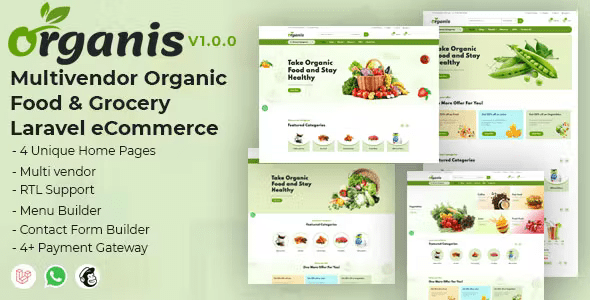
Organis – Multivendor Organic Food & Grocery Laravel eCommerce With Lifetime Update.
$10.90
| Features | Values |
|---|---|
| Version | v1.2.0 |
| Last Update | 14 January 2024 |
| Premium Features | Yes |
| Instant Installation Support | 24 Hrs. |
| Scanned By Virus Total | ✅ |
| Live Preview | 100% Working |
18
Items sold in last 3 minutes
227
People watching this product now!
Description
Organis is an exceptional Multivendor eCommerce Shopping Platform. If you’re considering purchasing a multi-vendor eCommerce platform, Organis is the ideal choice. It offers the perfect solution for your current or future webshop needs.
Features
- 4+ Unique Home Pages
- Multi vendor
- Multi-language
- RTL Support
- 4+ Payment Gateway
- Support many payment methods: Stripe, PayPal, Razorpay, Mollie, Cash on Delivery and Bank Transfer
- Fully eCommerce Features:
- Unlimted Categories
- Unlimted Brands
- Filter Products (Category, Brand, Price Range, etc.)
- Optional Wishlist
- Checkout Page
- Cart Page
- Order Tracking
- Guest Checkout
- Facebook APP ID support
- Facebook pixel support
- Twitter support
- Google Analytics
- Google Tag Manager
- WhatsApp API
- Email Order Notification
- Order Invoice
- Orders Report
- Orders Excel/CSV Export
- Transactions Report
- Transactions Excel/CSV Export
- Banner Ads
- Drag and Drop Menu Builder
- Contact Form Builder
- All Themes are highly optimized
- Fully SEO Friendly
- SEO Friendly Url
- Share Option
- Review Ratings
- Customer Report
- Stock management
- Easy Customize
- Clean Code
- Fully Responsive
- Unlimited Color
- All text translation
- Google reCAPTCHA (Enable/Disable) Option
- Mail Setting (Enable/Disable) Option
- Newsletter
- Include Theme Options
- General Setting Options
- Page Create Options
- Currency Left or Right Show
- Bulk Delete Option
- All reports on Dashboard
- and more…
🌟100% Genuine Guarantee And Malware Free Code.
⚡Note: Please Avoid Nulled And GPL PHP Scripts.
Reviews (0)
Only logged in customers who have purchased this product may leave a review.
Installation Process


Certification









Reviews
There are no reviews yet.