


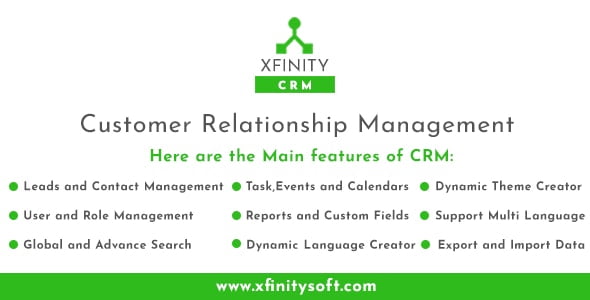
Open Source Laravel CRM & Project Management – Upping CRM With Lifetime Update.
$9.90
| Features | Values |
|---|---|
| Version | v1.1 |
| Last Update | 7 April 2024 |
| Premium Features | Yes |
| Instant Installation Support | 24 Hrs. |
| Scanned By Virus Total | ✅ |
| Live Preview | 100% Working |
Open Source Laravel CRM enhances company performance by streamlining relationship management.
Features include lead, contact, task, and event management in a single app.
Effortlessly find clients using the powerful search engine.
Customize fields to meet specific needs.
Personalize branding with theme color customization.
Laravel and Material Design Theme ensure a swift and stable platform.
Additional Feature
Ready to go
Designed to run without any coding. Upload, install and start managing your business, that’s all.
No extra requirements
Works with minimum requirements that supported by almost every hosting provider.
User Experience
Designed for fluent usage with continuous form design with the best UX.
Responsive UI
Access your dashboard from any device like mobile, tablet, or desktop to Place Limit on Order.
Basic to Advance
Designed to fit every purpose of usage, from basic to advance.
Video Tutorials
YouTube play-list that covers all aspect and features for comfy usage.You can check our tutorials on YouTube using this link
User guides
Well documented user guide that covers all options and features for comfy usage
🌟100% Genuine Guarantee And Malware Free Code.
⚡Note: Please Avoid Nulled And GPL PHP Scripts.
Only logged in customers who have purchased this product may leave a review.











Reviews
There are no reviews yet.