


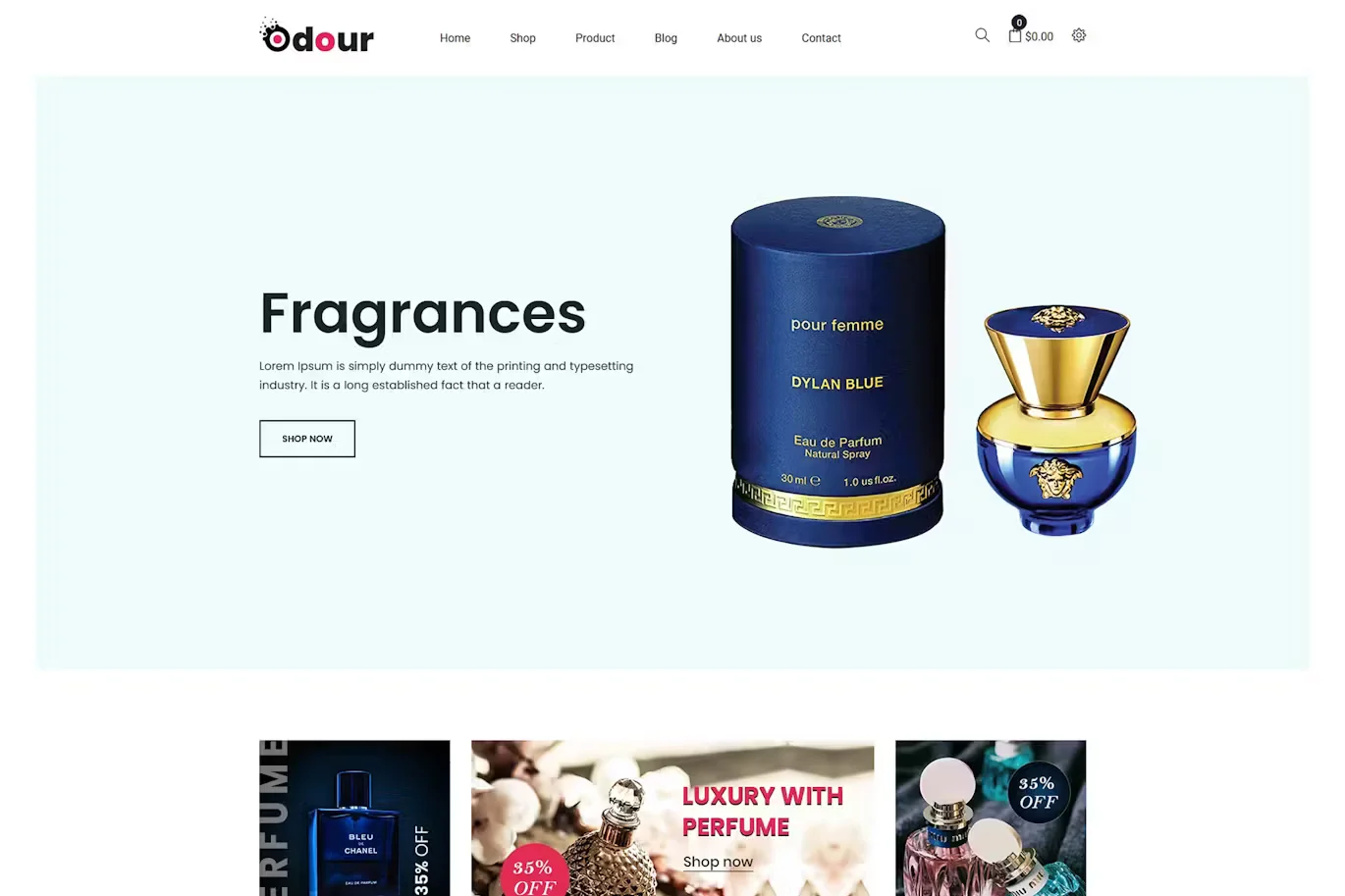
Odour – Perfume Shopify Theme With Lifetime Update.
$2.90
| Features | Values |
|---|---|
| Latest Update | Yes |
| Premium Item | Yes |
| Instant Installation Support | 24 Hrs. |
| Scanned By Virus Total | ✅ |
| Live Preview | 100% Working |
19
Items sold in last 3 minutes
147
People watching this product now!
Description
Odour – Perfume Shopify Theme
Odour is a modern and creative Shopify theme designed for eCommerce websites, especially for selling perfumes, fragrances, fashion items, accessories, gadgets, cosmetics, and more. It’s fully responsive and customizable, allowing you to build a professional website without programming skills.
Key Features:
- Home Variations: 3 unique home versions.
- Drag & Drop Sections: Over 20 customizable sections.
- Navigation: Well-designed header, dropdown menu, and mega menu.
- Visuals: Beautiful slider, video banner, and brand logo display.
- Product Features: Featured products, product tabs, Ajax popup cart, spinner cart, redirect add to cart, wishlist, QuickView, and product share.
- User Engagement: Newsletter popup and section, notification bar, Instafeed, latest blog, and services section.
- Multi-Language and Currency: RTL support and multiple currency options.
- Shop Layouts: Grid and list views, collection sorting, and breadcrumb banner.
- Social Integration: Facebook comments, Disqus comments, and product reviews.
- Custom Tabs: Related products and custom tabs.
- Setup and Customization: Quick install, Shopify Builder, unlimited colors, Mailchimp, contact form, and Google map API.
- Performance: 15+ preloaders, Google Analytics, and well-commented HTML & CSS files.
- Design: Creative and modern flat design, fully responsive, and cross-browser optimized.
- Documentation: Comprehensive and well-documented.
🌟100% Genuine Guarantee And Malware Free Code.
⚡Note: Please Avoid Nulled And GPL Shopify Themes.
Reviews (0)
Only logged in customers who have purchased this product may leave a review.
Installation Process


Certification









Reviews
There are no reviews yet.