


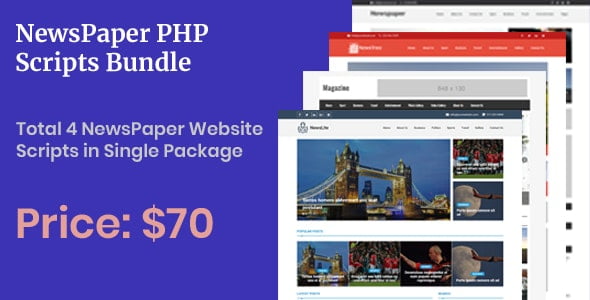
Newspaper PHP Scripts – Bundle With Lifetime Update.
$19.90
| Features | Values |
|---|---|
| Version | Latest |
| Last Update | 27 August 2022 |
| Premium Features | Yes |
| Instant Installation Support | 24 Hrs. |
| Scanned By Virus Total | ✅ |
| Live Preview | 100% Working |
Introducing our comprehensive newspaper PHP script bundle, comprising four distinct scripts tailored to meet your publishing needs. Each script is designed to enhance your newspaper’s functionality and streamline your operations. Below are the scripts included in this bundle, along with their demo URLs for you to explore before making a purchase:
1. **Script 1** – [Demo URL 1]
Description: [Brief description of Script 1]
2. **Script 2** – [Demo URL 2]
Description: [Brief description of Script 2]
3. **Script 3** – [Demo URL 3]
Description: [Brief description of Script 3]
4. **Script 4** – [Demo URL 4]
Description: [Brief description of Script 4]
Click on the individual script to explore its functionalities, and if you find one that suits your needs, you can easily purchase it on Envato. With our newspaper PHP script bundle, you’ll have everything you need to create a dynamic and engaging online newspaper platform.
🌟100% Genuine Guarantee And Malware Free Code.
⚡Note: Please Avoid Nulled And GPL PHP Scripts.
Only logged in customers who have purchased this product may leave a review.










Reviews
There are no reviews yet.