


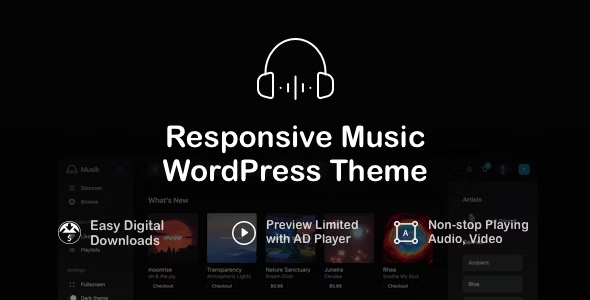
Musik – Responsive Music WordPress Theme With Lifetime Update.
$12.90
| Features | Values |
|---|---|
| Version | Latest |
| Last Update | 31 March 2024 |
| Premium Features | Yes |
| Instant Installation Support | 24 Hrs. |
| Scanned By Virus Total | ✅ |
| Live Preview | 100% Working |
Introducing Musik, a responsive music WordPress theme that allows you to effortlessly manage audio, albums, genres, artists, and sell audio files to your customers. Built on Easy Digital Downloads (EDD), Musik enables you to sell single audio tracks or bundle albums with ease.
With Musik, you can efficiently manage music genres and artists, while audio preview files support MP3 or OGG formats. The theme features the jPlayer jQuery HTML5 Audio player, playlist support, and a history player. Additionally, Musik saves player volume, repeat, and shuffle settings in the browser for a seamless user experience.
Musik offers full customization options, including the ability to customize the logo, header, aside, and player background colors. With four page templates and one-click demo data installation, setting up your music website has never been easier.
FEATURES:
- Base on Easy Digital Downloads –
- Sell single audio or bundle album
- Manage music genres and artists
- Audio preview file support mp3 or ogg format
- jPlayer – jQuery HTML5 Audio player
- Playlist support
- History player
- Save player volume, repeat, shuffle setting in browser
- Fully customize theme
- 4 page templates
- Allow customize the Logo/Header/Aside/Player background colors
- One click to install demo data
🌟100% Genuine Guarantee And Malware Free Code.
⚡Note: Please Avoid Nulled And GPL WordPress Themes.
Only logged in customers who have purchased this product may leave a review.











Reviews
There are no reviews yet.