


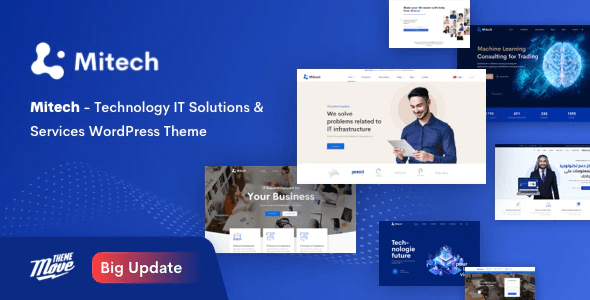
Mitech – Technology IT Solutions & Services WordPress Theme With Lifetime Update.
$12.90
| Features | Values |
|---|---|
| Version | v2.0.3 |
| Last Update | 3 May 2024 |
| Premium Features | Yes |
| Instant Installation Support | 24 Hrs. |
| Scanned By Virus Total | ✅ |
| Live Preview | 100% Working |
14
Items sold in last 3 minutes
162
People watching this product now!
Description
For your technology or software business, consider using Mitech, a professional WordPress theme designed for Digital & Application Business. It’s also suitable for Startups or Small Agencies in the Digital Industry.
Mitech is a powerful theme crafted for companies, agencies, or corporations involved in developing desktop and mobile applications, SaaS, software, and other digital products. It caters to various purposes such as technical, cyber security, engineering, computing, business, eCommerce, education, and more.
Key Features
- 06+ Unique Homepages
- 04+ Blog Layouts (Single Layouts, Archive Layouts)
- 03+ Case Study Layouts (Single Layouts, Archive Layouts)
- 06+ Header Presets
- WooCommerce
- Contact Form 7
- MailChimp for WordPress
- Compatible with WPML
- Responsive Design
- Smooth CSS3 Animation
- 600+ Google Fonts
- Off-canvas Menu
- Blog Sidebar
- SEO Optimization
- Pre-loader
- Maintenance
- 404 Error Page
- Social Media Sharing Buttons
- Quick Installation with one click
- Highly Responsive and Customizable
- WordPress 5.0+ Tested and Approved
- Flexible Colors & Typography
- Cross-Browser Compatibility: Firefox, Safari, Chrome
🌟100% Genuine Guarantee And Malware Free Code.
⚡Note: Please Avoid Nulled And GPL WordPress Themes.
Reviews (0)
Only logged in customers who have purchased this product may leave a review.
Installation Process


Certification





Reviews
There are no reviews yet.