


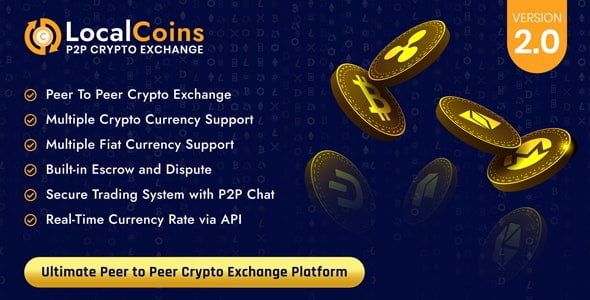
LocalCoins – Ultimate Peer to Peer Crypto Exchange Platform With Lifetime Update.
$18.90
| Features | Values |
|---|---|
| Version | v2.2 |
| Last Update | 20 September 2023 |
| Premium Features | Yes |
| Instant Installation Support | 24 Hrs. |
| Scanned By Virus Total | ✅ |
| Live Preview | 100% Working |
LocalCoins is a professional P2P crypto exchange solution built on PHP Laravel, designed for those interested in launching their own crypto exchange escrow website. Currently, there are approximately 18.87 million bitcoins in existence, with about 6.25 bitcoins added to circulation every 10 minutes through mining. As of 2020, LocalBitcoins sees an average of 29,566 successful trades per day. Users can register directly on the platform and utilize the LocalCoins user panel to initiate buy or sell crypto exchange trades. The platform facilitates transactions between users using escrow features, with the site owner managing the entire trade process and earning revenue through exchange/trade charges.
User Dashboard Features
– Create Buy/Sell Advertisements.
– Manage Advertisement.
– Manage Trade.
– Trade Conversation.
– Escrow Enable.
– Trade Request Manage.
– Wallet Manage.
– Transaction Details.
– Profile Management.
– 2FA Security.
– Deposit Management.
– Withdraw Management.
– Email Notification & Verification.
– SMS Notification & Verification.
– Livechat, Security Captcha Included.
– Comes with Multi language Features.
– Privacy & TOS Pages.
– Easy Search Engine.
– SEO Friendly Interface.
– And More…
🌟100% Genuine Guarantee And Malware Free Code.
⚡Note: Please Avoid Nulled And GPL PHP Scripts.
Only logged in customers who have purchased this product may leave a review.










Reviews
There are no reviews yet.