


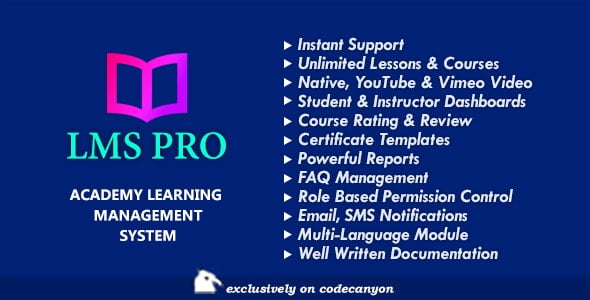
LMS Pro – Academy Learning Management System for Online Courses With Lifetime Update.
$7.90
| Features | Values |
|---|---|
| Version | Latest |
| Last Update | 18 August 2020 |
| Premium Features | Yes |
| Instant Installation Support | 24 Hrs. |
| Scanned By Virus Total | ✅ |
| Live Preview | 100% Working |
16
Items sold in last 3 minutes
332
People watching this product now!
Description
LMS Pro is a comprehensive academy learning management system (LMS) developed with PHP MVC framework. It’s user-friendly for Admins, Students, and Instructors. Instructors can create and monetize courses, with Admins earning a percentage from each sale. Students can easily enroll in courses using various payment gateways, including options for free courses.
Core Features
- Intuitive Course Builder
- Unlimited Lessons & Courses
- Advanced Quiz Creator
- Question & Answers Section
- Video Player with Resuming
- Native Video Uploading
- YouTube & Vimeo Video
- Student & Instructor Dashboards
- Course Rating & Review
- Certificate Templates
- Powerful Reports
- Course Prerequisites
- Course Preview
- FAQ Management
- Email Notifications
- SMS Notifications
- Assignment Submission
- Manual Enrollments
- Backup/Restore
- Data Reset / Factory Format
- One Click Demo Data Import
- Usergroup Based Permission Management
- Fully Responsive
- Multi-lingual
- Multiple Payment Gateway
- Well written Documentation
- Instant Support
🌟100% Genuine Guarantee And Malware Free Code.
⚡Note: Please Avoid Nulled And GPL PHP Scripts.
Reviews (0)
Only logged in customers who have purchased this product may leave a review.
Installation Process


Certification









Reviews
There are no reviews yet.