


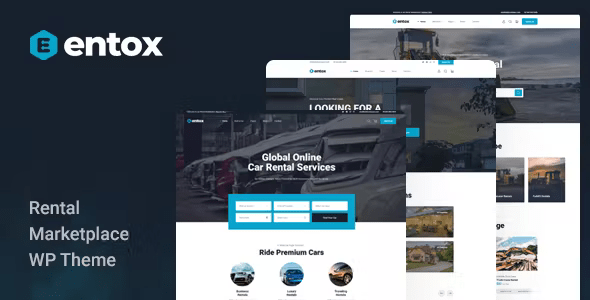
Entox – Rental Marketplace WordPress Theme With Lifetime Update.
$15.90
| Features | Values |
|---|---|
| Version | v1.1.4 |
| Last Update | 6 May 2024 |
| Premium Features | Yes |
| Instant Installation Support | 24 Hrs. |
| Scanned By Virus Total | ✅ |
| Live Preview | 100% Working |
15
Items sold in last 3 minutes
351
People watching this product now!
Description
Entox is a versatile WordPress theme tailored for various purposes, including creating listing directory rental websites. It’s ideal for rental marketplace platforms, allowing vendors to easily submit items like cars, bikes, houses, and more. With Entox, you can swiftly build any professional WordPress site related to rental businesses.
Other Feature
- Compatible with Elementors
- Compatible with WooCommerce
- Compatibility PHP 7.x, 8.x
- One Click Import Demo Data
- Live Customize
- Change Typography easily in Customize
- Unlimited Color
- Compatibility WPML plugin
- Wide & Boxed Layout
- Blog with Left/Right/No Sidebar
- Contact Form 7
- 675+ Font Icons Included (Font Awesome)
- Flat Icon
- Google Fonts
- SEO Optimized
- Browser compatible
- Speed Performance
- Change Grid System Easily
- 24/7 Support
- Documentation Step by Step
🌟100% Genuine Guarantee And Malware Free Code.
⚡Note: Please Avoid Nulled And GPL WordPress Themes.
Reviews (0)
Only logged in customers who have purchased this product may leave a review.
Installation Process


Certification



Reviews
There are no reviews yet.