


Sold out
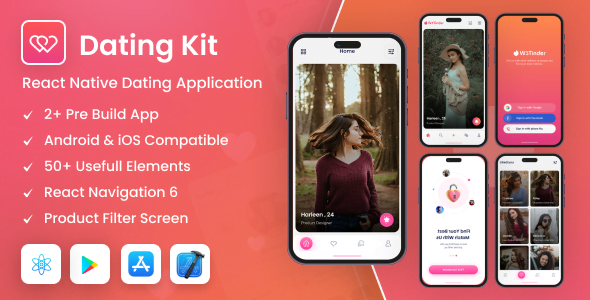
Dating Kit 0.71.8 React Native Dating Mobile App Template CMS PHP Script With Lifetime Update.
$6.90
| Features | Values |
|---|---|
| Version | v0.71.8 |
| Last Update | 18 May 2023 |
| Documentation | Yes |
| All Premium Features | Yes |
| GPL/Nulled | No |
| Instant Installation Support | 24 Hrs. |
| Receive Updates on Email | Yes |
| Website Activation | 25 |
🌟100% Genuine Guarantee And Malware Free Code.
⚡Note: Please Avoid Nulled And GPL CMS PHP Scripts.
Out of stock
199
People watching this product now!
Description
Dating Kit 0.71.8 React Native Dating Mobile App Template CMS PHP Script With Lifetime Update.
Dating Kit Features
- 2+ Application packages
- Light & Dark Theme
- Android & iOS Compatible
- 50+ Screens
- Use React Navigation 6
- Login & Register Page
- Support multiple layouts
- React Native Reanimated
- Multiple User Profile Layout
- Multiple Header Styles
- Multiple Bottom Navigation Styles
- React Native Drawer Navigation
- Easy-to-Understand Code
- Fast Loading and Greate Performance
- Easy to reuse and customize
- Multiple reusable card layout
- Multiple reusable components (Accordion, input, card, buttons, and much more.)
- Multiple Pricing layout
- Clean Code
🌟100% Genuine Guarantee And Malware Free Code.
⚡Note: Please Avoid Nulled And GPL CMS PHP Scripts.
Reviews (0)
Only logged in customers who have purchased this product may leave a review.
Installation Process


Certification

Change Log
18 May 2023
* Update React Native Version (0.71.8)
* Compatible with iOS
* Update JS Files
* Code Optimization
01 April 2023
* New - Created & Upload Dating Kit








Reviews
There are no reviews yet.