


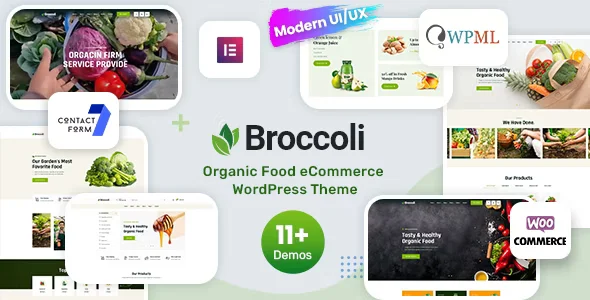
Broccoli – Organic Shop WooCommerce Theme With Lifetime Update.
$6.90
| Features | Values |
|---|---|
| Version | 1.2 |
| Last Update | 25 May 2023 |
| Premium Features | Yes |
| Instant Installation Support | 24 Hrs. |
| Scanned By Virus Total | ✅ |
| Live Preview | 100% Working |
11
Items sold in last 3 minutes
185
People watching this product now!
Description
- Elementor Integration: Customize layouts quickly with the intuitive drag-and-drop Elementor builder.
- One-Click Installation: Get your site running fast with a simple one-click installer.
- Powerful Framework: Built on the robust Redux theme options framework.
- Slider Revolution: Includes the premium Slider Revolution plugin for free.
- Unlimited Colors: Customize colors with extensive options.
- Responsive & Retina Ready: Looks great on all devices, including mobile and retina screens.
- Page/Post Options: Override global settings for individual pages or posts.
- Mailchimp Integration: Connect your newsletter subscription with Mailchimp.
- Contact Form 7 Compatibility: Easily create custom forms.
- Detailed Documentation: Includes comprehensive documentation and video guides for easy setup and customization.
🌟100% Genuine Guarantee And Malware Free Code.
⚡Note: Please Avoid Nulled And GPL WordPress Themes.
Reviews (0)
Only logged in customers who have purchased this product may leave a review.
Installation Process


Certification







Reviews
There are no reviews yet.