


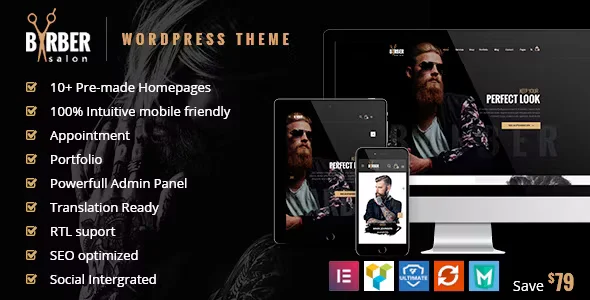
Barber – Hair, Tattoo & Beauty Salons WordPress Theme With Lifetime Update.
$6.90
| Features | Values |
|---|---|
| Version | 2.1.2 |
| Last Update | 26 April 2024 |
| Premium Features | Yes |
| Instant Installation Support | 24 Hrs. |
| Scanned By Virus Total | ✅ |
| Live Preview | 100% Working |
20
Items sold in last 3 minutes
344
People watching this product now!
Description
Barber WordPress Theme
Barber is a premium WordPress theme designed with pixel-perfect precision and a trendy style, ideal for barbers, hair salons, beauty and spa centers, tattoo studios, nail salons, and healthcare websites. Key features include:
- 10+ Pre-made Homepages: Various designs to choose from.
- Advanced Features: Gallery pages for treatments, products, and services.
- Customization: Highly flexible and modular, suitable for various businesses. Easy to mix and match pages like shop, gallery, blog, and CMS (about, contact, services).
Built on the Redux framework, Barber is supported by a robust admin panel and popular plugins such as Visual Composer, Slider Revolution, Ultimate Addons for Composer, WPML, Mega Menu, Ajax Search, and Ajax Product Filter. This ensures Barber is a powerful and versatile WordPress theme, perfect for realizing your dream website
🌟100% Genuine Guarantee And Malware Free Code.
⚡Note: Please Avoid Nulled And GPL WordPress Themes.
Reviews (0)
Only logged in customers who have purchased this product may leave a review.
Installation Process


Certification







Reviews
There are no reviews yet.