


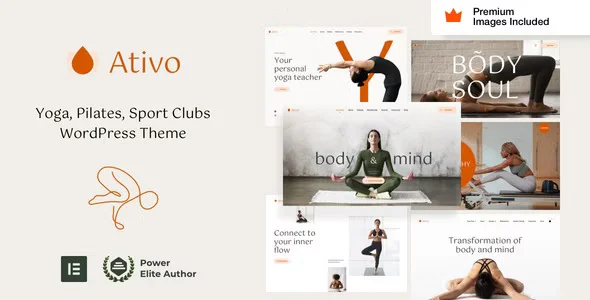
Ativo – Yoga Sports Club WordPress Theme With Lifetime Update.
$6.90
| Features | Values |
|---|---|
| Version | Latest |
| Last Update | 12 July 2024 |
| Premium Features | Yes |
| Instant Installation Support | 24 Hrs. |
| Scanned By Virus Total | ✅ |
| Live Preview | 100% Working |
12
Items sold in last 3 minutes
292
People watching this product now!
Description
Ativo is a modern WordPress theme tailored for yoga studios, sports clubs, gyms, fitness centers, and wellness facilities. It offers full Elementor and Elementor Pro compatibility, essential for setting up demo content and configurations.
Key Features:
- Elementor Compatibility: Seamless integration with Elementor and Elementor Pro.
- Free Stock Images: Includes $260 worth of Premium Getty Images for unrestricted use.
- Enhanced Design: Extends Elementor widgets with additional styles and animations for stability.
- Customizable Options: Easily removable theme code on a widget-by-widget basis.
- Beginner-Friendly: Comes with an extensive setup guide, 23 HD WordPress video tutorials, and average support response time of 8 hours.
- Minimal Plugins Required: Requires only WordPress, Elementor, Elementor Pro, and WooCommerce.
- Responsive Design: Full control over mobile and tablet views with custom breakpoints and RTL support.
- Advanced Features: Customizable headers and footers, dynamic content layouts, mega menus, forms, pop-ups, and a WooCommerce builder for products, archives, cart, and checkout pages.
Ativo is designed to provide a professional and functional online presence for yoga and fitness businesses.
🌟100% Genuine Guarantee And Malware Free Code.
⚡Note: Please Avoid Nulled And GPL WordPress Themes.
Reviews (0)
Only logged in customers who have purchased this product may leave a review.
Installation Process


Certification









Reviews
There are no reviews yet.