


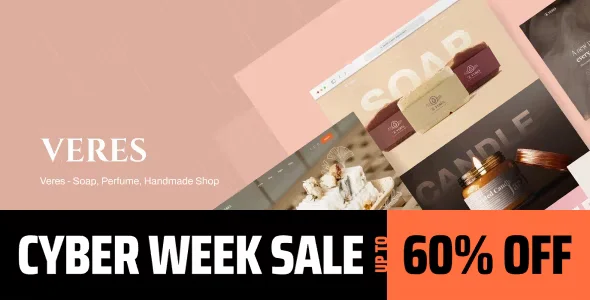
Veres – Handmade Soap & Candles WordPress Theme With Lifetime Update.
$6.90
| Features | Values |
|---|---|
| Version | 1.0.7 |
| Last Update | 9 August 2024 |
| Premium Features | Yes |
| Instant Installation Support | 24 Hrs. |
| Scanned By Virus Total | ✅ |
| Live Preview | 100% Working |
20
Items sold in last 3 minutes
188
People watching this product now!
Description
Veres is a stunning eCommerce theme designed for beauty websites and soap, perfume, and handmade shops. It offers full WooCommerce compatibility and a beautiful array of shop page layouts and elements. If you’re looking to create a captivating beauty or cosmetics shop website, Veres is the perfect choice.
Key Features:
- Elementor Integration: Veres uses Elementor, a powerful front-end page builder that is easy to use, fast, and highly customizable. It offers a wide range of widgets, effects, and templates, allowing you to achieve superior design quality without coding.
- Real-Time Design: With Elementor, design in real-time on the front end, so you see the results immediately without switching views.
- Flexible Layout Control: Gain full control over page layouts, enabling complete design freedom without writing a single line of code.
🌟100% Genuine Guarantee And Malware Free Code.
⚡Note: Please Avoid Nulled And GPL WordPress Themes.
Reviews (0)
Only logged in customers who have purchased this product may leave a review.
Installation Process


Certification





Reviews
There are no reviews yet.